The Hive tab
Every device in your hive on one screen: what it is called, where it lives, when it was last seen, and whether it is in sync right now. Click any one to look inside it.
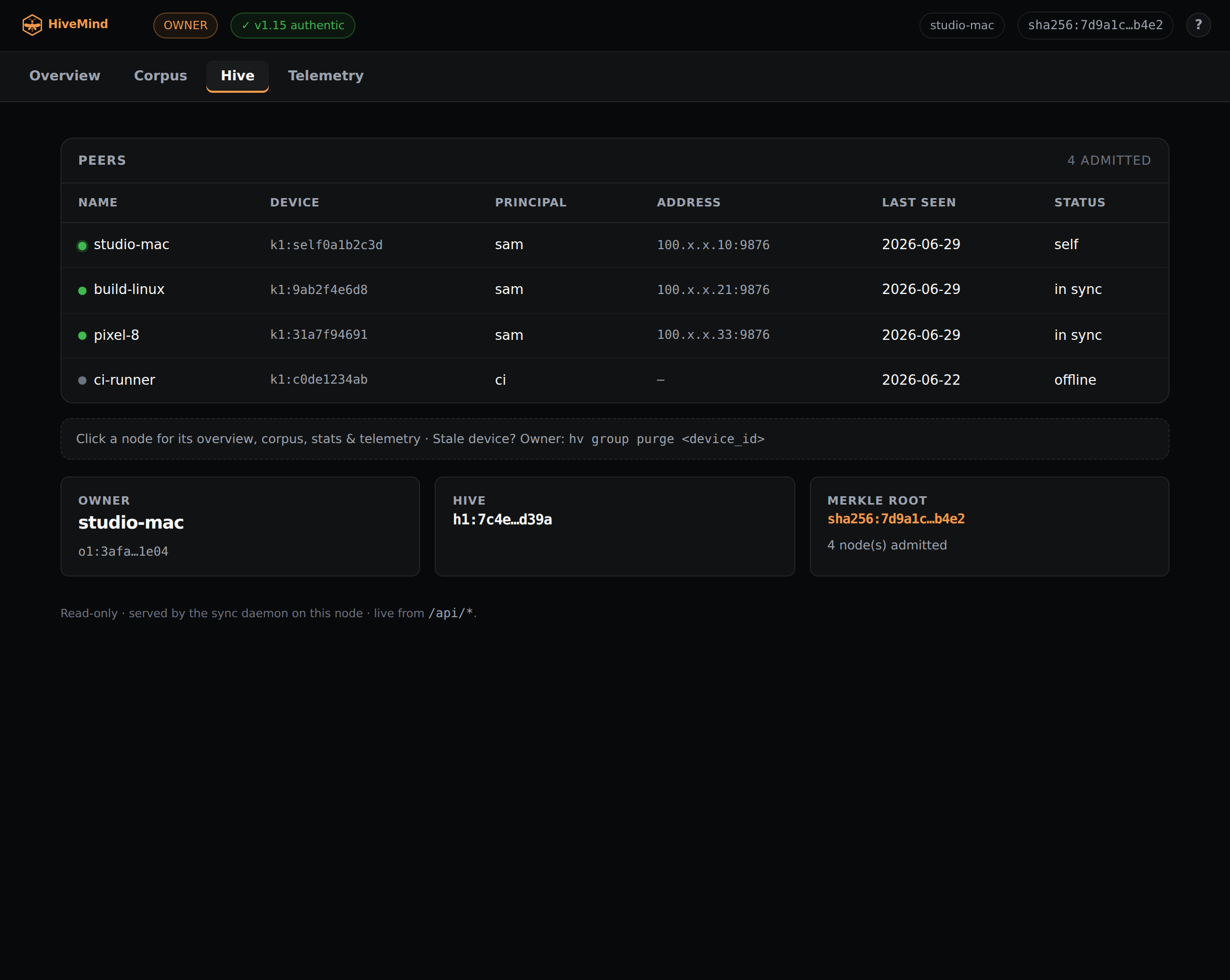
The roster
Each admitted device shows its name, its principal, its tailnet address, its last-seen time, and a live sync status: in sync, behind, or offline. The status is probed when you open the tab, so it reflects the hive as it is now, not the last time something was written.
Open any node
Click a row to open that device. Each node has its own Overview, Corpus, Stats, and Telemetry, proxied live over the tailnet from the node itself. The node Overview compares that device's merkle root against yours, so one that has fallen behind reads as diverged, and the device you are sitting at reads as "this node." Stats runs hv whoami, hv stats, and hv doctor on the node and fills each panel in as it answers.
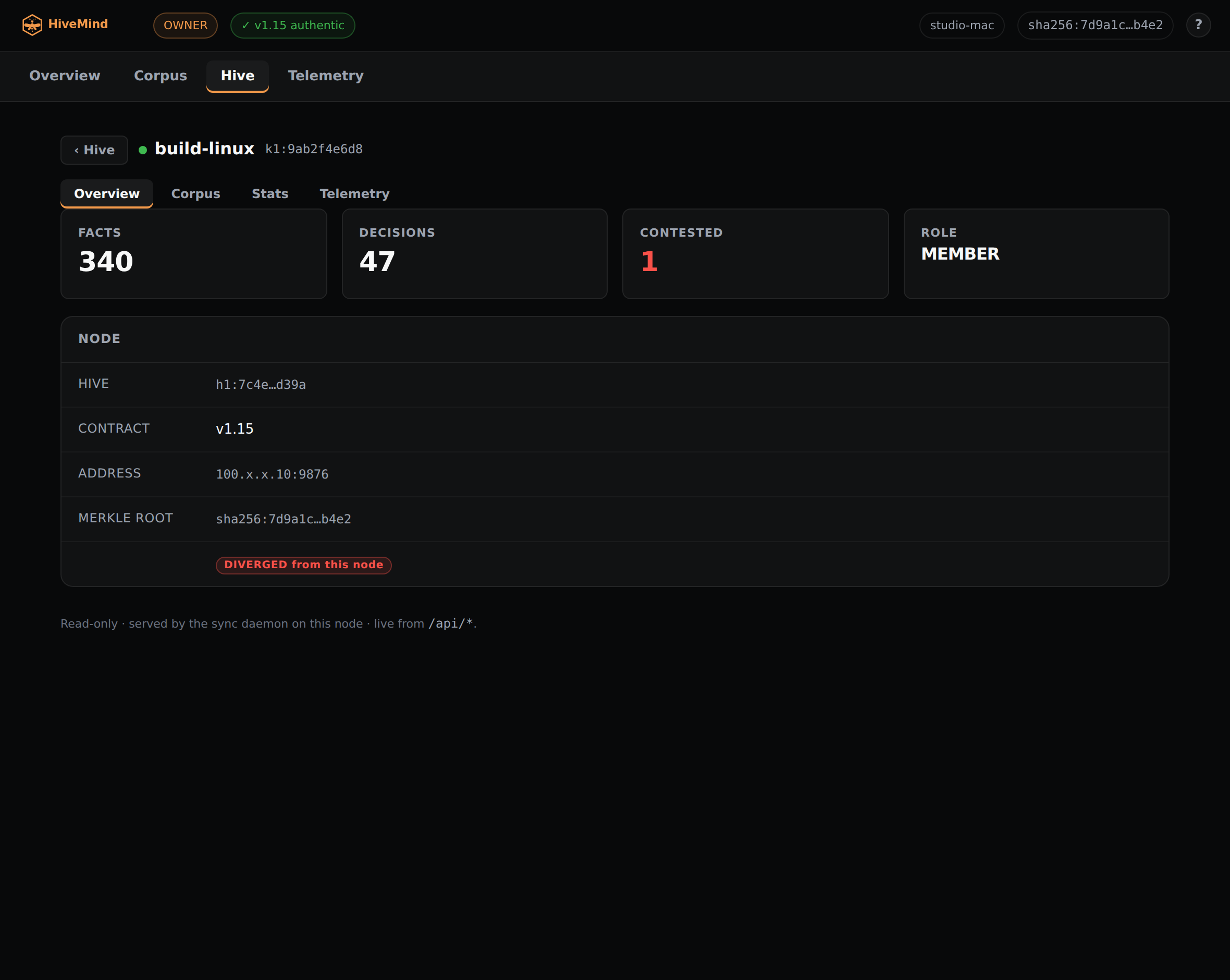
A node opened to its own detail, proxied over the tailnet.
Managing devices
The Hive tab is read-only. Admitting a device waiting at the door, revoking one you no longer trust, or purging one that is gone for good is done by the owner with hv group (admit, revoke, purge).