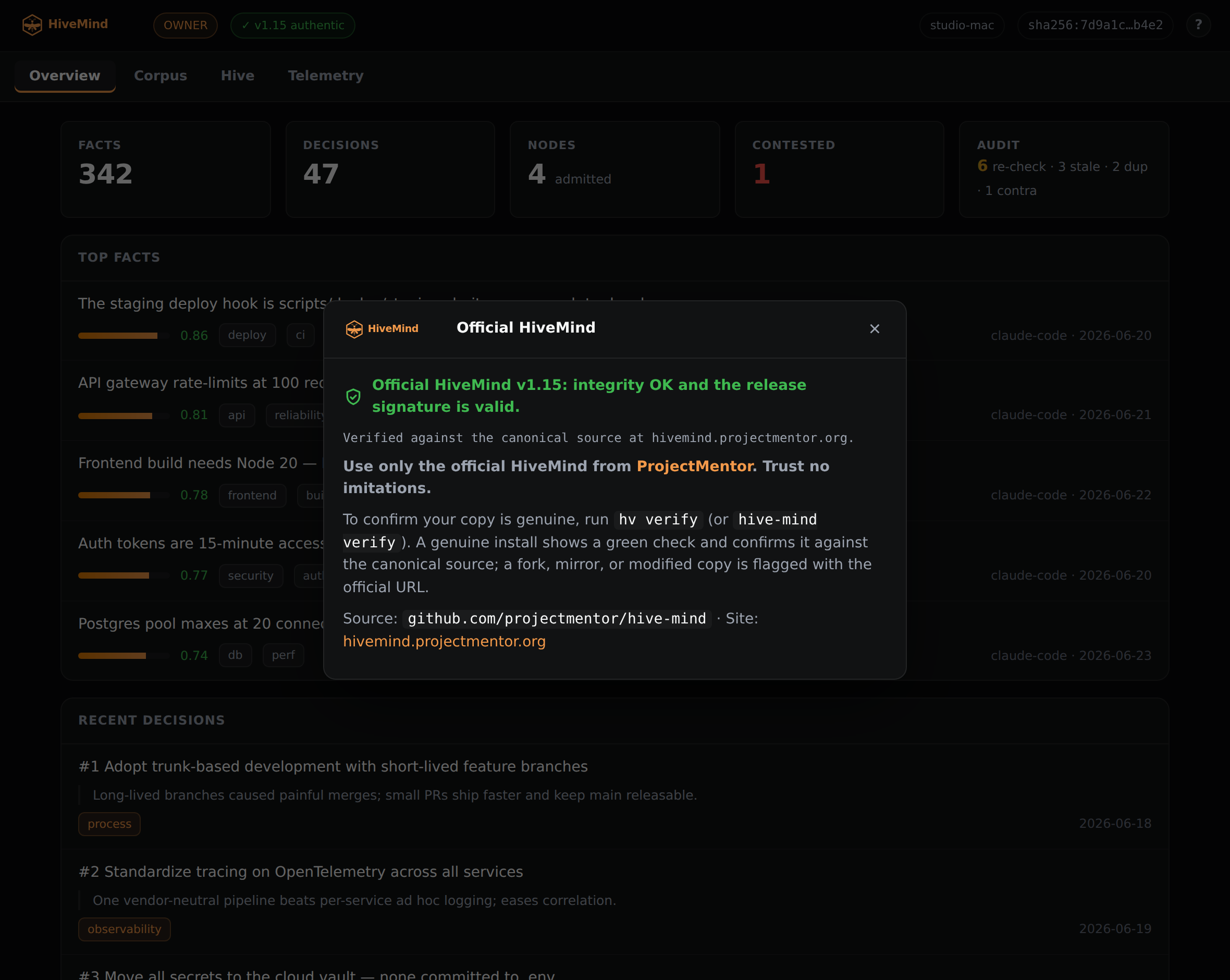
The Overview tab
The landing tab sizes up your whole hive at once: how much it knows, how healthy it is, and what changed lately. It is the first thing hv dash shows you.
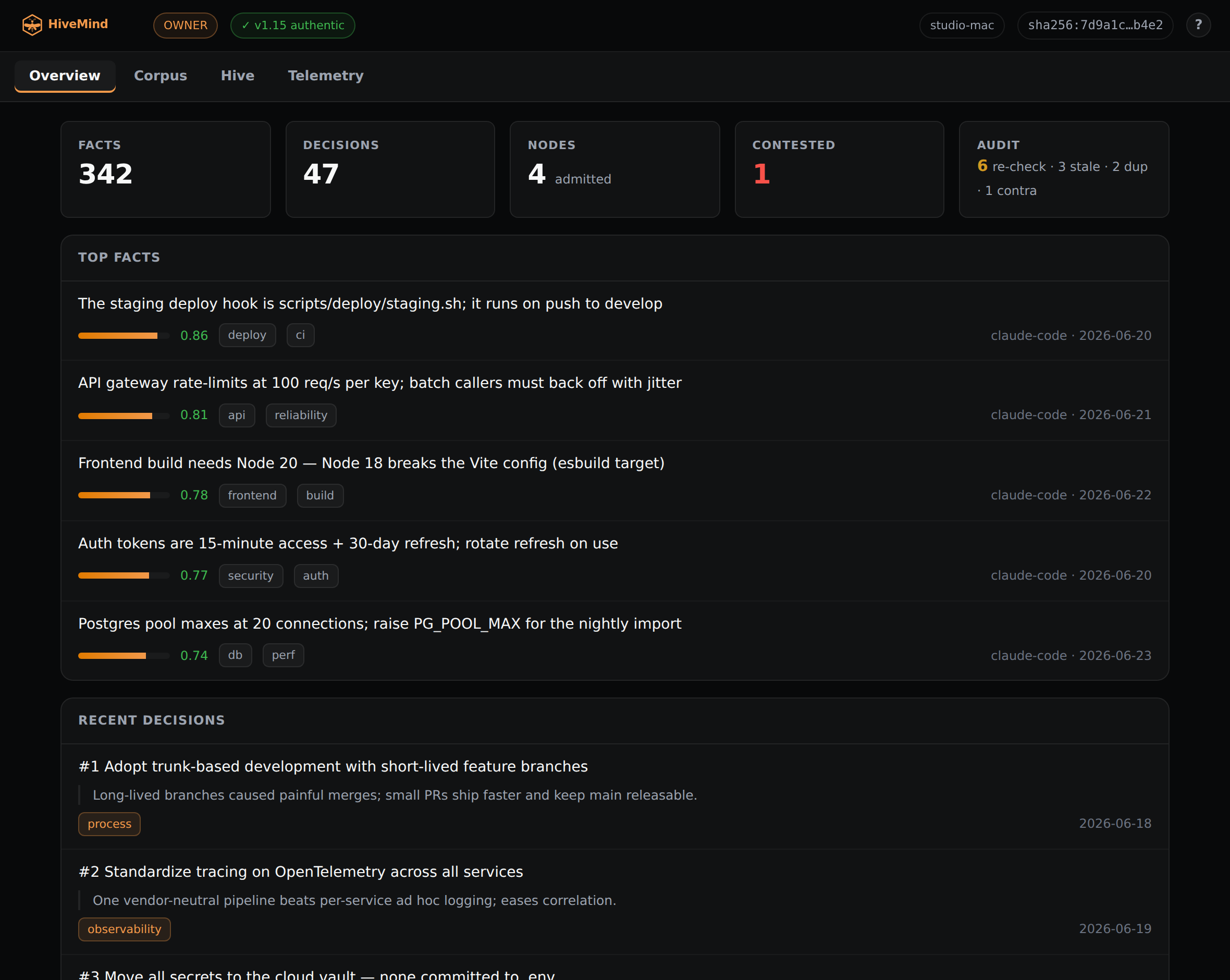
A header that counts, and links
Across the top sit the numbers that matter: how many facts and decisions the hive holds, how many devices are admitted, how many facts are contested, and what the boot-time audit found. None of them is a dead end. Every count is a link to what it counts.
Facts and Decisions jump into the Corpus filtered to that type. Nodes opens the Hive tab. Contested narrows the Corpus to the facts that disagree with themselves. Audit opens the full reconciliation list, so a number you do not like is one click from the records behind it.
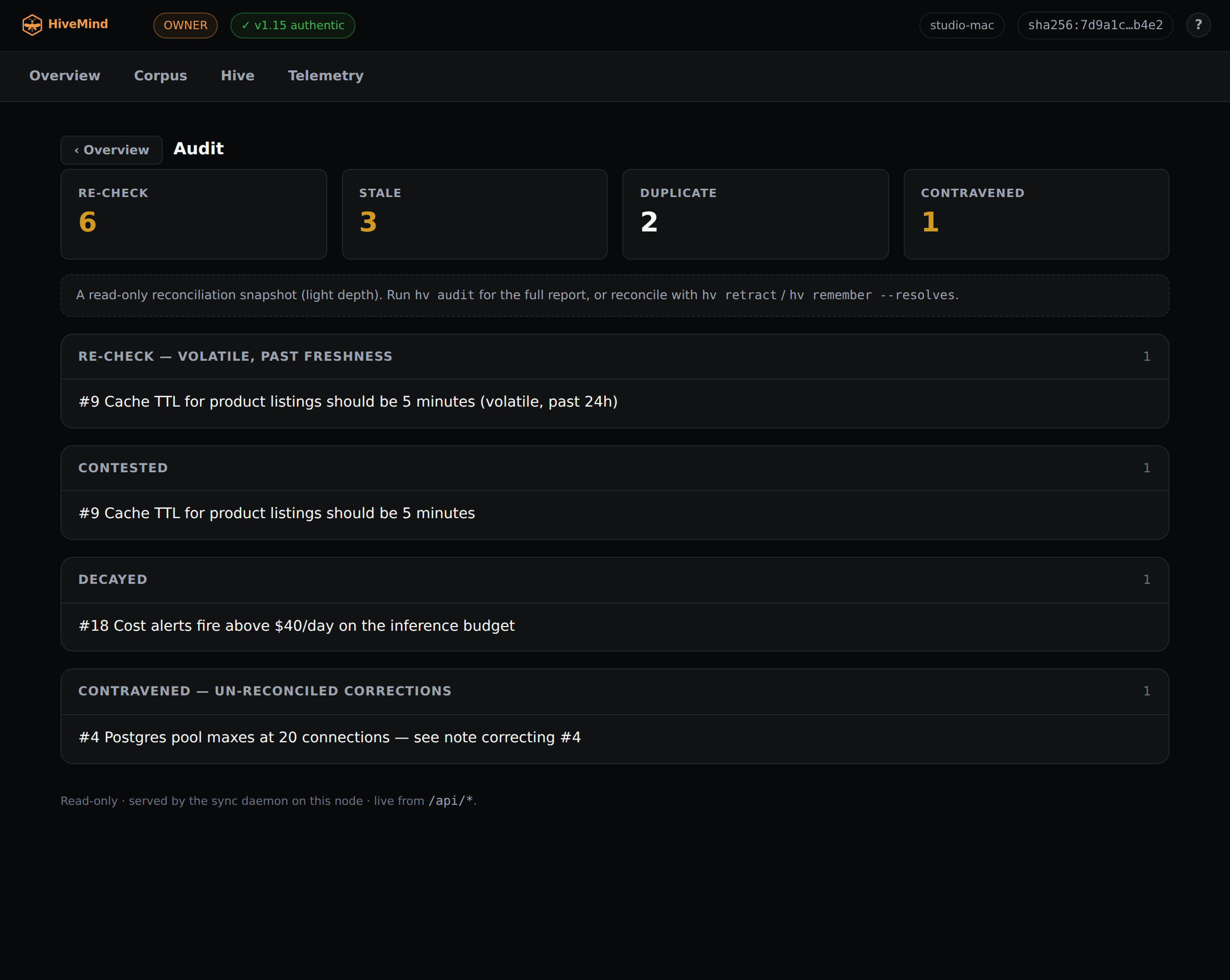
The boot audit, opened from the Audit count: what to re-check, what is stale or contested, what is duplicate.
Your best facts and latest decisions
Under the counts the tab shows your highest-confidence facts, each with its confidence bar, and your most recent decisions. It is the short version of what the hive is sure about and what it last settled. Click any row to open the full record and the records related to it.
Genuine at a glance
The shield in the header reflects your live hv verify result. A green shield means a genuine install, confirmed against the canonical source. A red shield means a modified or forked copy, and the panel behind it gives you the commands to re-align and the official URL. Use only the official HiveMind from ProjectMentor.